
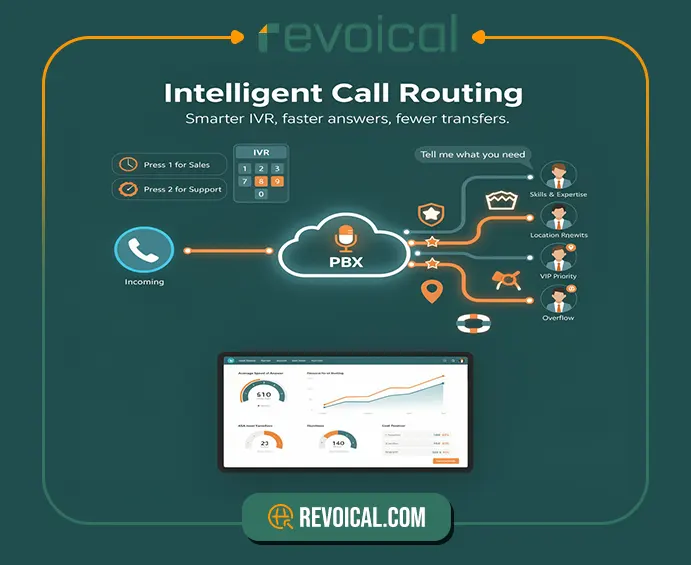
Intelligent call routing is simply call routing that follows smart rules—so callers don’t bounce around or wait longer than necessary. Instead of sending every call to the same extension, a modern call routing system uses things like time (business hours), team (sales/support), skill (language or product knowledge), and priority (VIP or urgent issues) to connect the caller to the best available person on the first try.
In a cloud PBX / hosted PBX, this usually starts with IVR basics (a short menu) or even a simple spoken request, then the platform applies automatic call routing rules and skills-based matching.
For a call center VoIP or VoIP contact center, the payoff is very practical: shorter wait times, fewer transfers, and higher first-call resolution, because customers reach an agent who can actually handle the request.
In the rest of this article, we’ll break down what intelligent call routing is, how a modern call routing system uses IVR basics, time rules, and skills to route callers, and where automatic call routing fits inside a cloud PBX IVR.
We’ll also look at the most common routing patterns (so you can picture a simple call routing flow chart), plus the practical features that matter in a call center VoIP setup—like queues/ACD, reporting, and the small best practices that keep VoIP contact center solutions fast and consistent as call volume grows.
What Is Intelligent Call Routing?
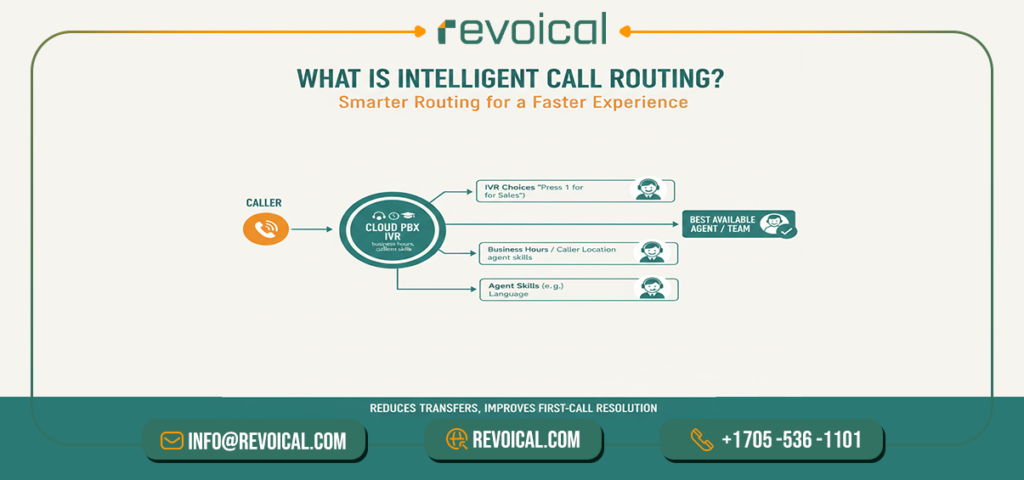
Intelligent call routing is a smarter way to handle call routing so callers don’t get stuck in the wrong place. Instead of sending every call to the same extension or a “catch-all” queue, an intelligent call routing system uses simple inputs—like IVR choices (“Press 1 for Sales”), business hours, caller location, or agent skills—to route each call to the best available person or team automatically.
In practice, it’s automatic call routing that reduces “blind queues,” cuts repeated transfers, and improves first-call resolution because the caller reaches the right agent sooner. Most setups work through a cloud PBX IVR (basic IVR basics done well) and can be extended with things like skills-based routing or even conversational IVR in more advanced environments—so the overall experience feels faster, calmer, and more consistent for both customers and agents.
Related Post: Top Features in a Modern Cloud-Hosted PBX
How a Call Routing System Works
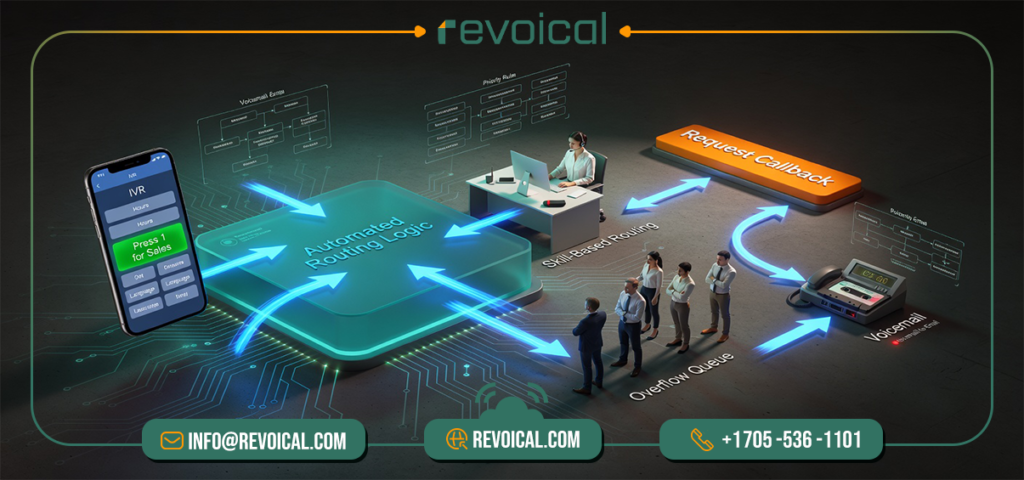
Think of a call routing system as a set of “if-this-then-that” rules that decides where each caller should go. First, a call comes in to your main number. Then your IVR (the “Press 1 for Sales” menu) or a few basic rules (like business hours) quickly identifies what the caller needs and whether your team is available. Based on that, intelligent call routing sends the call to the best destination—by team, skill, priority, and time of day—so the caller reaches the right person faster instead of bouncing around.
If the first choice doesn’t answer, the system doesn’t “give up.” It follows your backup plan automatically: overflow to another agent or another queue, offer a callback (so the customer doesn’t stay on hold), or send the call to voicemail (often with voicemail-to-email).
That’s how modern automatic call routing reduces missed calls and repeated transfers—especially in a VoIP call center or any busy support/sales team.
A simple call routing flow chart you can include
Inbound call → IVR / basic rules (hours, language) → pick best destination (skill/priority) → if no answer: overflow → callback option → voicemail
Related Featurs of Hosted PBX: Time & Intelligent Routing
The 5 Routing Rules Teams Actually Use (Time, Skill, Priority, Location, Overflow)
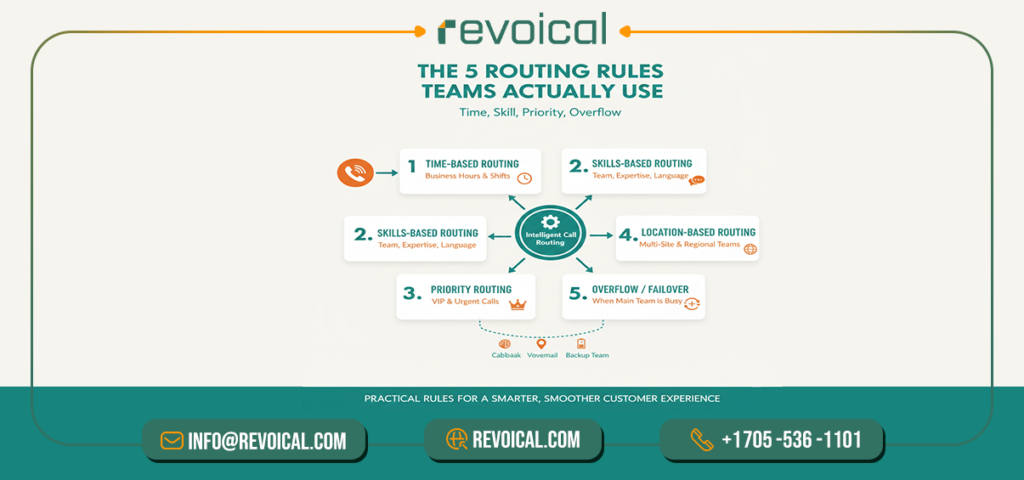
The easiest way to understand intelligent call routing is to think in real, simple rules—rules you can actually set inside a call routing system. Below are the five routing rules most teams use day-to-day (especially in a cloud PBX IVR or VoIP call center), without getting lost in technical details.
1) Time-based routing (business hours & shifts)
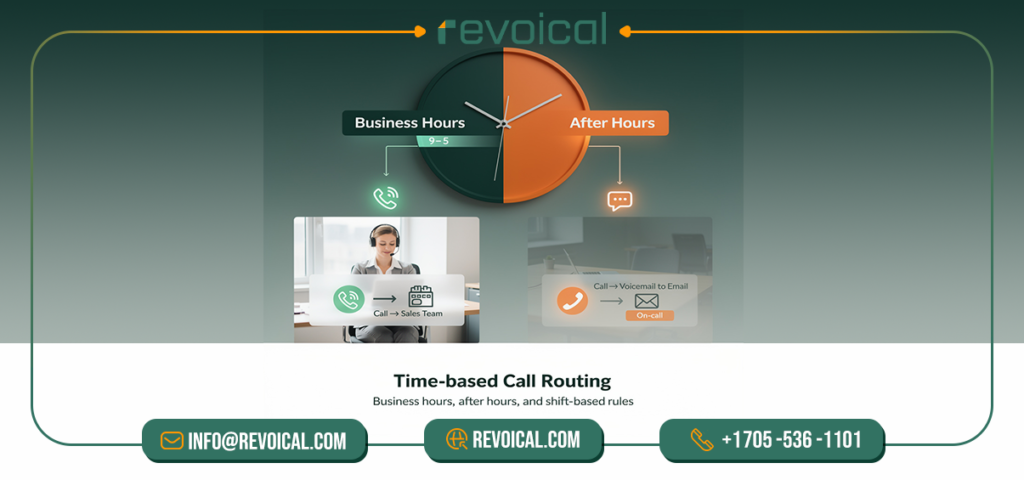
This is the most common form of automatic call routing: calls go to one destination during business hours, and a different destination after hours. For example, Sales rings from 9–5, then switches to voicemail-to-email or an on-call number. If you run shifts, each shift can have its own routing rule so calls always reach a staffed team.
2) Skills-based routing (team, expertise, language)
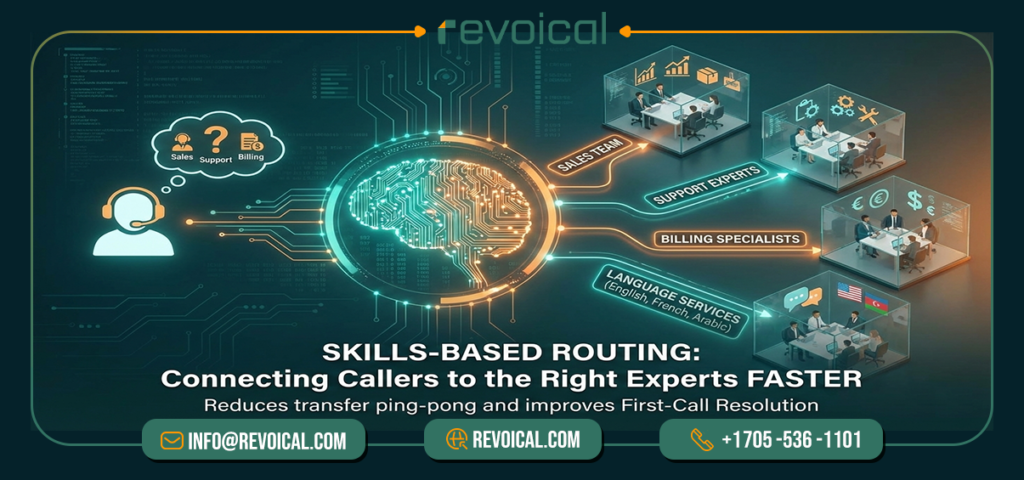
With skills-based routing, callers reach someone who can solve the issue—faster. The IVR can ask one quick question (“Press 1 for Sales, 2 for Support”), or the system can route by tags like Sales, Support, Billing, or language (English/French/Arabic). This is where intelligent call routing reduces “transfer ping-pong” and helps first-call resolution—especially in VoIP contact center solutions.
See More: Dialplan & Call Flow Engine
3) Priority routing (VIP, high-value, urgent calls)
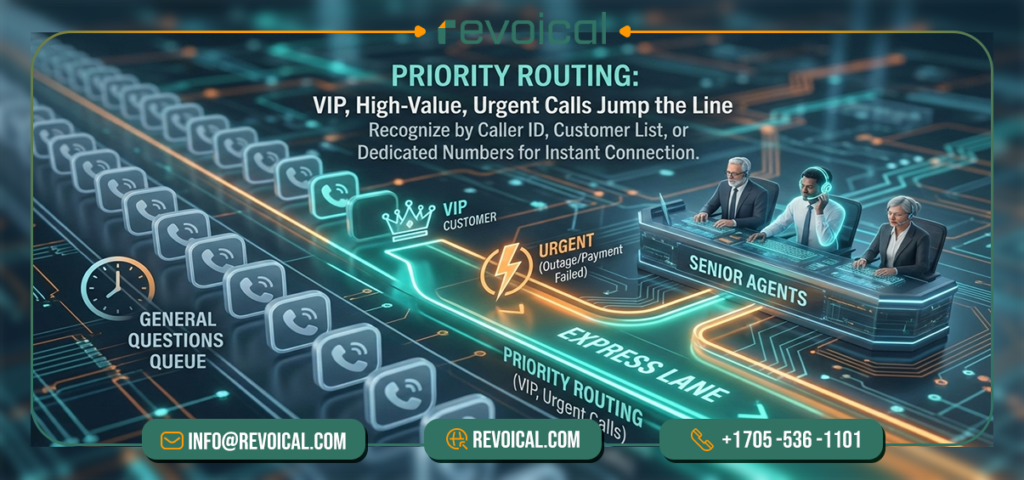
Some calls should jump the line. Priority rules can recognize VIP customers (by caller ID, customer list, or dedicated numbers) and route them to a priority queue or senior agents. Many teams also use priority routing for urgent scenarios—like “outage” or “payment failed”—so those callers don’t wait behind general questions.
4) Location or site-based routing (multi-site and regional teams)
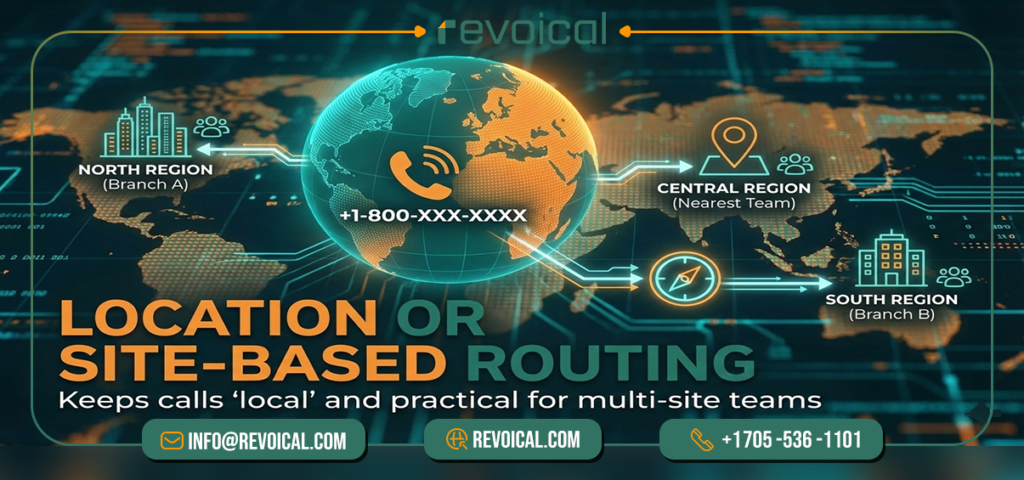
If you have multiple branches or regions, location routing keeps calls “local” for the customer and practical for your staff. A caller from a specific city can be routed to that branch first, or calls can follow a “nearest team” pattern. For multi-site IP contact center setups, this keeps coverage consistent while sharing one public number.
5) Overflow / failover routing (when the main team is busy)
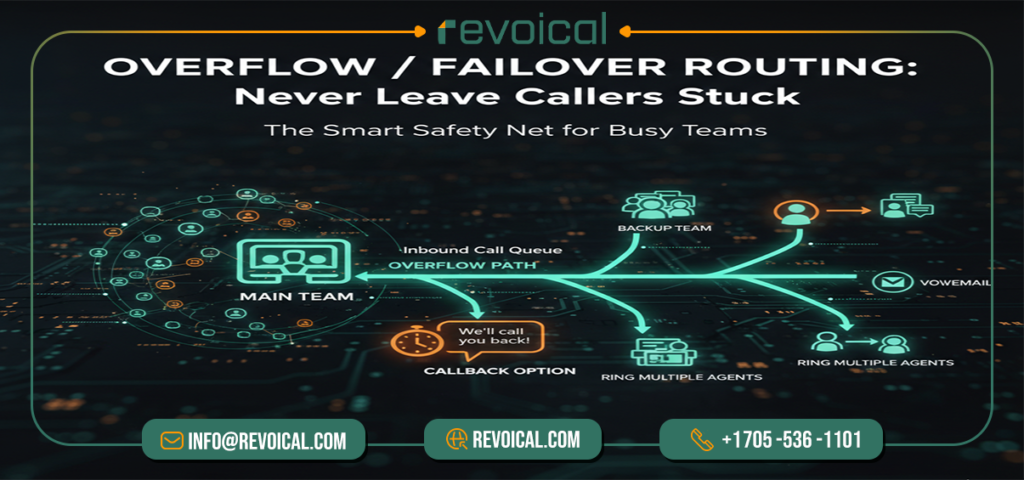
Overflow is the safety net that keeps calls from dying in a queue. If the main team is busy (or doesn’t answer within a set time), the call can:
- overflow to a backup team or another site,
- offer a callback,
- ring multiple agents at once,
- or go to voicemail as the last step.
This rule is what makes a routing setup feel “smart” in real life—because it always has a next best step instead of leaving callers stuck.
Intelligent call routing isn’t magic—it’s a small set of practical routing rules (time, skill, priority, location, overflow) that you can configure and improve over time. Once these are set, your call routing becomes predictable for your team and smoother for customers.
Read More: Core Call Handling
IVR Basics vs Conversational IVR (TTS/STT) — When Each Makes Sense
In most call routing setups, the IVR is the “front door.” It’s the first step that helps your call routing system understand what the caller needs and send them to the right place. But not every IVR is the same.
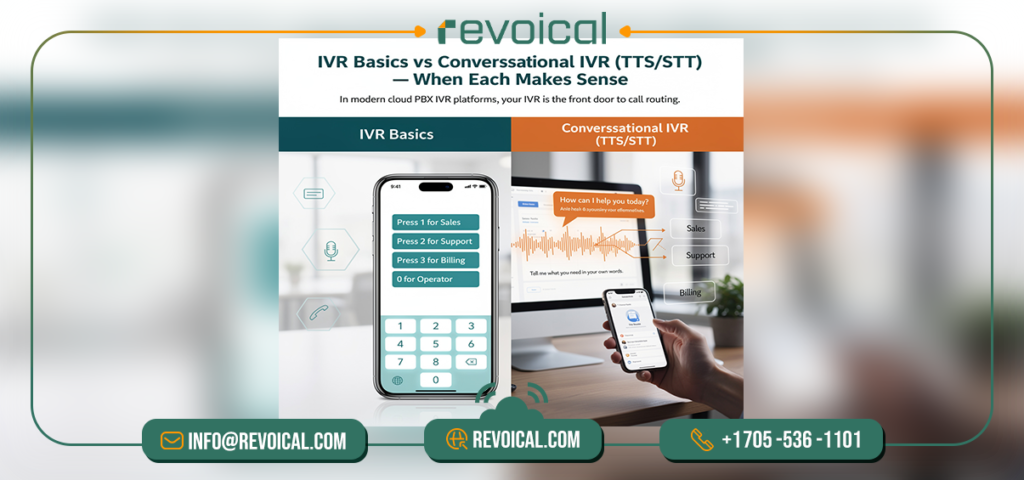
In modern cloud PBX IVR platforms, you’ll usually see two approaches: IVR basics (classic menus) and conversational IVR (voice-based routing using TTS/STT). Here’s the plain difference—and when each one makes sense.
IVR basics (classic menu IVR)
IVR basics is the standard “press 1 for Sales, press 2 for Support” menu. It’s simple, predictable, and works well for most businesses. In a cloud PBX IVR, you can usually build these menus quickly, connect each option to a team, a queue, or a voicemail box, and add time rules for business hours.
Best when:
- You have a small set of clear choices (Sales / Support / Billing).
- Your callers are used to keypad menus and you want a familiar experience.
- You want reliable automatic call routing with minimal setup and maintenance.
Why teams like it: It’s fast to launch, easy to control, and very stable—especially for straightforward call flows.
Conversational IVR (TTS/STT: callers speak naturally)
A conversational IVR replaces “press 1, press 2” with “tell me what you need.” The caller can say “billing,” “cancel my service,” or “technical support,” and the system uses speech-to-text (STT) to understand the request.
Then it replies or confirms using text-to-speech (TTS) and routes the call to the right queue or agent.
Best when:
- Your lines are busy and you want to reduce menu steps and transfers.
- Call reasons repeat a lot (status, billing, password reset, appointment, order tracking).
- You support multiple languages or many departments, and long menus would slow people down.
- You run a VoIP call center or IP contact center where speed and first-call resolution matter.
Why it helps: It shortens the path to the right destination, reduces “wrong department” transfers, and can pass a quick intent note to the agent—so the conversation starts with context.
Which one should you choose?
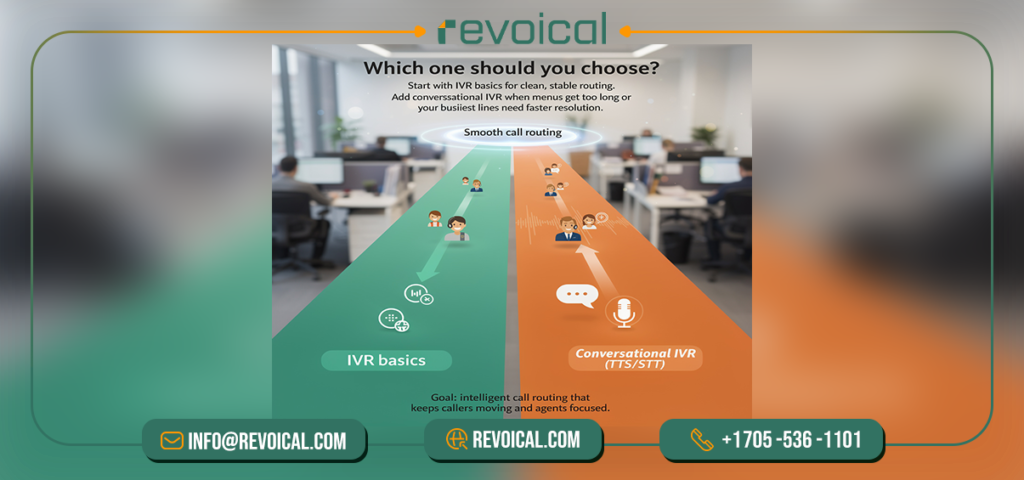
For many teams, IVR basics is the best starting point: it’s simple and covers the majority of routing needs. As call volume grows—or as you see repeated requests piling up—conversational IVR (TTS/STT) becomes a practical upgrade that improves customer experience and reduces workload on agents.
A good rule of thumb:
- Start with IVR basics for clean, stable routing.
- Add conversational IVR when menus get too long, transfers increase, or your busiest lines need faster resolution.
That’s the real goal of intelligent call routing: choose the IVR style that keeps callers moving smoothly, and keeps your team focused on solving—not redirecting.
Intelligent Routing for VoIP Call Centers
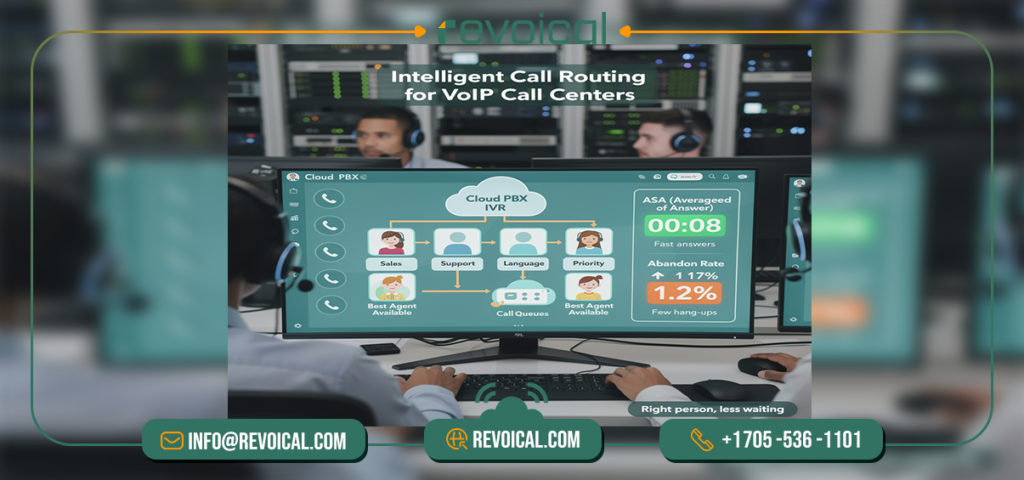
In a VoIP call center (or cloud-PBX call center), intelligent call routing delivers real value when it works alongside call queues and ACD (Automatic Call Distribution).
The idea is simple: calls come in, a cloud PBX IVR (or basic rules) quickly categorizes them (sales/support/language/priority), the caller lands in the right queue, and ACD distributes calls fairly and intelligently to the best available agent. This reduces pointless transfers, keeps wait times more predictable, and makes the customer experience feel like “I reached the right person fast,” instead of “please hold” followed by multiple handoffs.
To manage this without guesswork, focus on a few clear metrics. ASA (Average Speed of Answer) shows how quickly callers are being picked up, and abandon rate shows how many callers hang up before reaching an agent.
If ASA rises, routing rules may be too strict or staffing is short; if abandon rate rises, the flow is usually too slow and you should tighten routing, add overflow, or offer callbacks.
That’s what turns an intelligent call routing system into a practical performance tool—something you can measure, tune, and improve over time.
Conclusion
Intelligent call routing is simply the smarter way to move calls through your business—so customers reach the right person faster, with fewer transfers and less waiting. When you combine automatic call routing (time, skill, priority, location, and overflow rules) with IVR basics or conversational IVR (TTS/STT), you get a call routing system that feels easier for callers and more efficient for teams.
And in a VoIP call center, the impact becomes measurable: better answer speed, lower abandonment, and more consistent service as volumes grow.
If you want help designing the right routing rules for your team—or you’d like a quick review of your current IVR and queues—contact Revoical. We can help you map a practical call routing flow, reduce unnecessary transfers, and set up a clean routing structure that scales with your support and sales needs.
FAQ
Usually the IVR choice is too broad (e.g., “Support” covers everything) or routing rules don’t match real skills. Tighten skills-based routing and add a clean overflow path so the “next best step” is clear.
Start with time-based routing + a short IVR (IVR basics). Then add skills-based routing for the top 2–3 call reasons. This gives quick wins without making the setup complex.
When menus get long, transfers increase, or your busiest lines repeat the same requests (billing, status, resets). Conversational IVR reduces menu hops and routes faster—especially in a VoIP call center.
Not always. High ASA often means rules are too strict (too few agents match) or staffing is short at peak times. Loosen routing slightly, add overflow/callback, and review abandon rate alongside ASA.
That’s exactly what overflow/failover routing is for. Define a clear fallback sequence: overflow to backup team → offer callback → voicemail-to-email as the final step. This prevents “dead-end” queues.

No comment