
Self-Hosted PBX for Businesses That Need Full Control

Deploy Revoical’s PBX platform on your own server, private cloud, or local infrastructure.


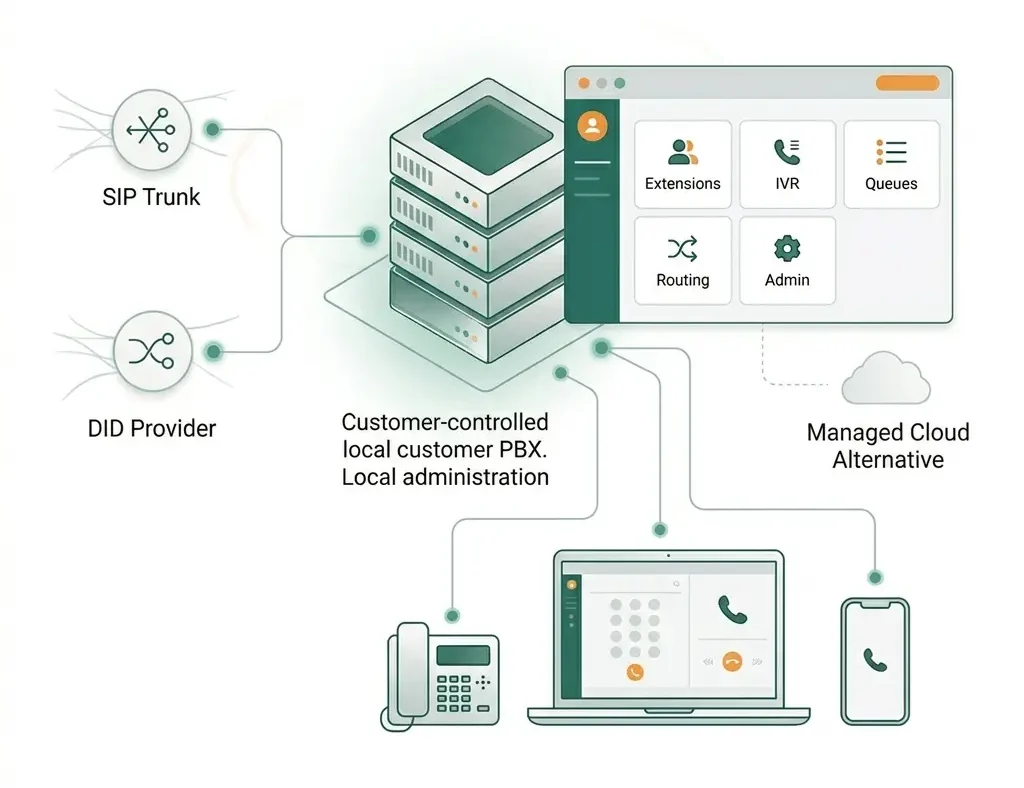
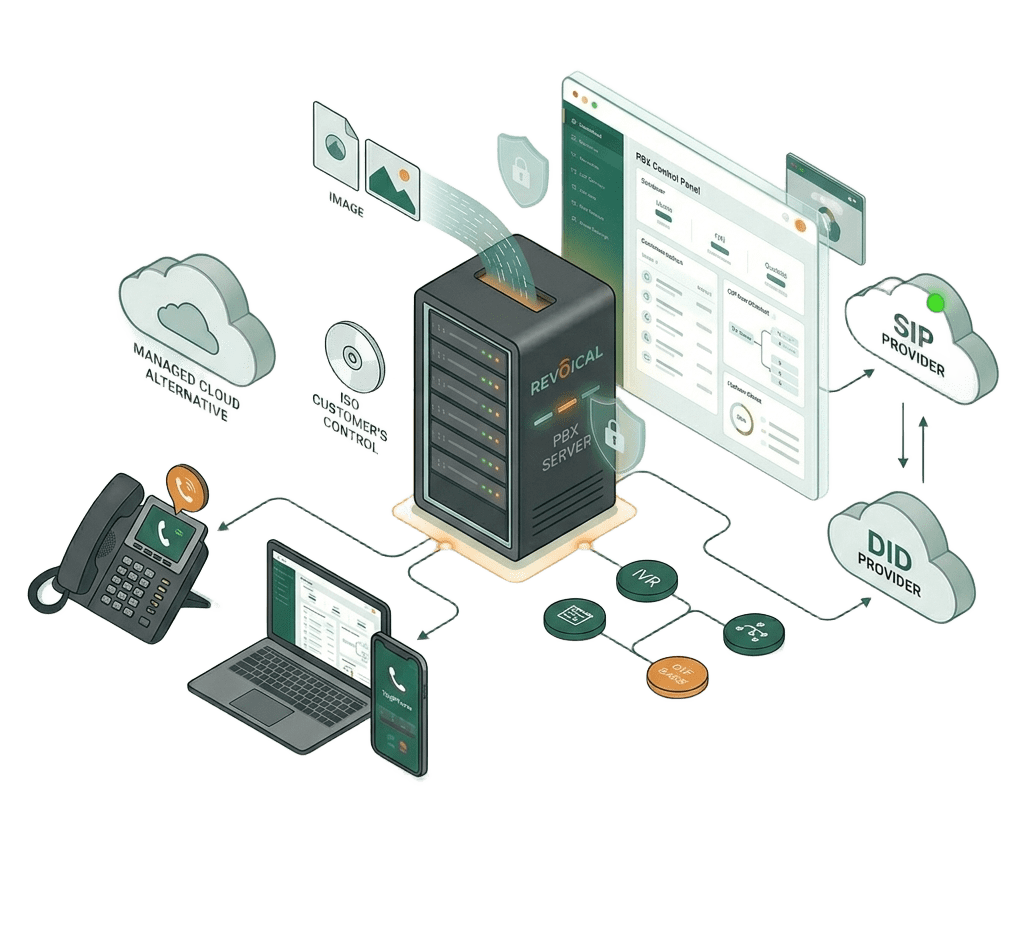
Revoical Self-Hosted PBX is built for organizations that want a modern business phone system while keeping deployment and infrastructure under their own control. Install the platform from an ISO image, connect SIP trunks and DID providers, and manage users, extensions, IVR, queues, routing rules, and numbers through a local admin panel.

Revoical self hosted pbx
What is self hosted pbx

What Is a Self-Hosted PBX ?

A Self-Hosted PBX is a business phone system installed on infrastructure controlled by your organization, such as a local server, virtual machine, or private cloud. Instead of relying on a fully managed cloud deployment, this model gives your team more control over system configuration, network access, SIP trunks, DID providers, security policies, and local administration.

For businesses that prefer a fully managed cloud model, Revoical also offers a cloud-based Hosted PBX solution.

For businesses that prefer a fully managed cloud model, Revoical also offers a cloud-based Hosted PBX solution.

Self-Hosted PBX Plans

Choose a Self-Hosted PBX plan based on your deployment size, support needs, number of users, and required PBX capabilities.

Basic

-$

  • For small teams & startups
  • Include All Features
  • 5 GB Storage
  • 1 trunk SIP
  • 1 call queue
  • Up to 5 users
Pro

-$

  • For Growing businesses with higher call volume
  • Include All Features
  • 10 GB Storage
  • 3 trunks SIP
  • 3 call queues
  • Up to 10 users
Enterprise

-$

  • For Large organizations, call centers, resellers
  • Include All Features
  • 15 GB Storage
  • Unlimited trunks SIP
  • Unlimited call queues
  • 50+ users (scalable unlimited)

Key Features of Revoical Self-Hosted PBX

Deploy, manage, and control your PBX environment locally with the core tools needed for SIP trunking, call routing, IVR, queues, users, and business communication management.

Icons8 cloud development 100

Local or Private Cloud Deployment

Install Revoical Self-Hosted PBX on your own server, virtual machine, or private cloud environment while keeping infrastructure, access, and deployment control within your organization.

Icons8 iso 100

ISO-Based Installation


Deploy the platform using a ready-to-install ISO image designed to simplify setup for technical teams and reduce the complexity of launching a local PBX environment.

Icons8 ringing phone 100

Centralized PBX Management

Manage users, extensions, IVR, call queues, voicemail, routing rules, business hours, and trunk settings from one local web-based admin panel.

Icons8 sip dialer 100

SIP Trunks and DID Provider Support

Connect your preferred SIP trunk and DID providers, manage inbound and outbound calls, and configure call routing based on your own telecom setup.

Icons8 routing 100

Routing, Control, and Continuity

Build professional call flows with IVR, queues, ring groups, schedules, and routing rules while supporting backup, restore, and operational continuity based on your local infrastructure policy.

How Deployment Works

Revoical Self-Hosted PBX follows a clear deployment process, from technical review and ISO installation to SIP trunk configuration, testing, and optional support.

How self hosted pbx works
  • Technical AssessmentWe review your infrastructure, users, SIP trunking needs, network setup, and deployment environment.
  • ISO Delivery and InstallationYour team receives the installation package and deploys the PBX on the selected server or virtual machine.
  • Initial ConfigurationUsers, extensions, SIP trunks, DID numbers, IVR, queues, routing rules, and admin access are configured.
  • Testing and ValidationInbound calls, outbound calls, internal extensions, audio quality, routing, and access are tested before go-live.
  • Support and MaintenanceBased on your selected plan, Revoical can provide updates, technical support, monitoring guidance, and maintenance assistance.
Self hosted pbx requirement

Self-Hosted PBX Requirements

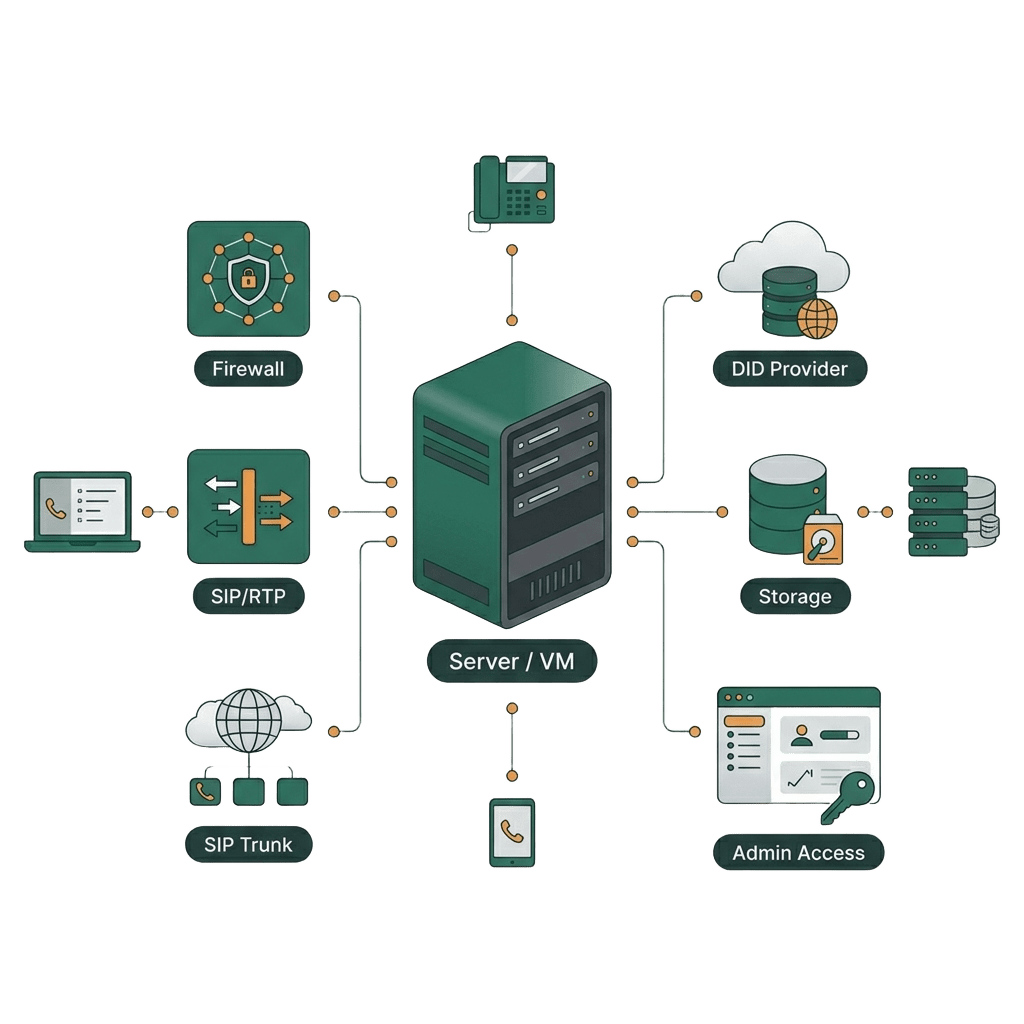
Revoical Self-Hosted PBX can be deployed on compatible physical servers, virtual machines, or private cloud environments. Final requirements depend on users, concurrent calls, SIP trunks, storage needs, recording policies, and redundancy expectations.

  • Compatible physical server, virtual machine, or private cloud environment
  • Reliable network with proper SIP/RTP routing, NAT, DNS, and firewall rules
  • Compatible SIP trunk or DID provider for inbound and outbound calling
  • Storage capacity for logs, voicemail, recordings, backups, and restore points
  • Secure admin access with strong credentials, roles, and IP restrictions
FAQ

Find your question here or ask us

What is Revoical Self-Hosted PBX?

Revoical Self-Hosted PBX is a locally deployable PBX system that can be installed on a customer-controlled server, virtual machine, or private cloud environment.

How is Self-Hosted PBX different from Hosted PBX?

Self-Hosted PBX is installed and managed on your own infrastructure, while Hosted PBX is delivered as a cloud service managed by Revoical.

Do we receive an ISO file?

Yes. The product is designed to be delivered as an installable ISO image for deployment on compatible infrastructure.

Can we connect our own SIP trunk provider?

Yes. Customers can connect supported SIP trunks and DID providers based on their business and technical requirements.

Who manages updates and maintenance?

Maintenance depends on the selected support model. Your team can manage the system internally, or Revoical can provide support and maintenance services.