
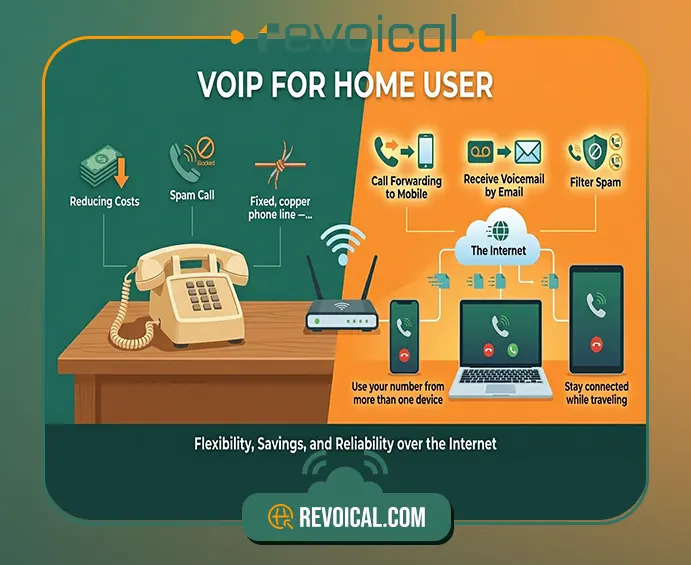
Do you still need a traditional landline at home, or can a VoIP solution give you the same reliability with more flexibility? Many home users ask this question when they want to reduce phone costs, keep their existing home phone number, block unwanted calls, or use their number from more than one device. A home VoIP solution makes it possible to make and receive calls over the internet instead of relying only on an old phone line.
For home users, VoIP is not just a technical upgrade. It can be a more practical way to manage everyday communication. With the right VoIP solution for home, users can keep a local phone number, forward calls to a mobile device, receive voicemail by email, filter spam or robocalls, and stay connected while traveling.
In this article, we explain how VoIP for home users works, why many households are replacing traditional landlines, and what features matter most when choosing a residential VoIP service.
What Is a Home VoIP Solution?
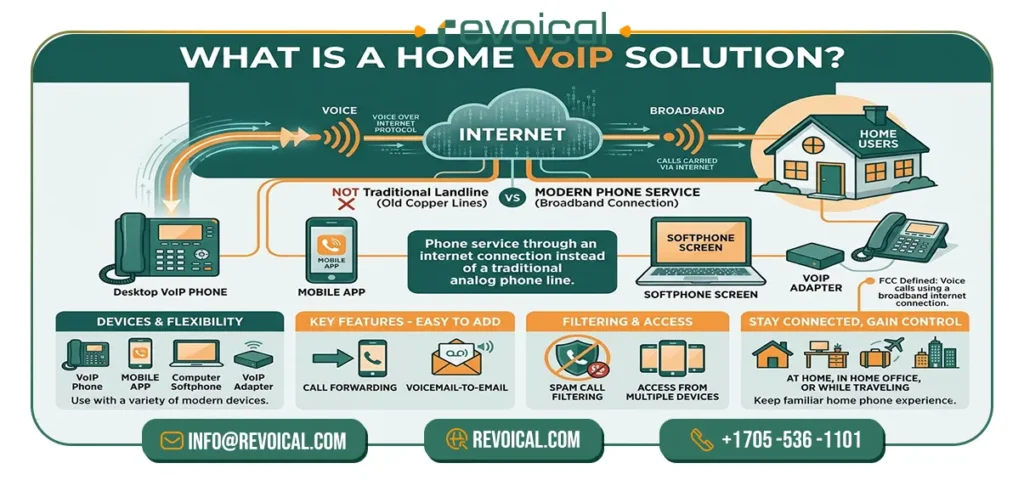
A home VoIP solution is a phone service that allows home users to make and receive calls through an internet connection instead of a traditional landline. VoIP stands for Voice over Internet Protocol, which means your voice is carried over the internet rather than through an analog phone line. In simple terms, it gives you a modern way to use a home phone number without being limited to old telephone infrastructure.
For many households, VoIP for home users works like a regular phone service but with more flexibility. You can use it with a VoIP phone, a mobile app, a computer softphone, or in some cases an adapter connected to an existing home phone. The main difference is that calls are managed through the internet, which makes it easier to add features such as call forwarding, voicemail-to-email, spam call filtering, and access from multiple devices.
A VoIP solution for home is especially useful for people who want to keep a familiar home phone experience while gaining more control over how and where they receive calls. Instead of being tied to one physical phone line, a residential VoIP service can help users stay connected at home, in a home office, or even while traveling, depending on the features offered by the provider.
The FCC also defines VoIP as a technology that lets users make voice calls using a broadband internet connection instead of a regular analog phone line.
Why Home Users Are Replacing Traditional Landlines
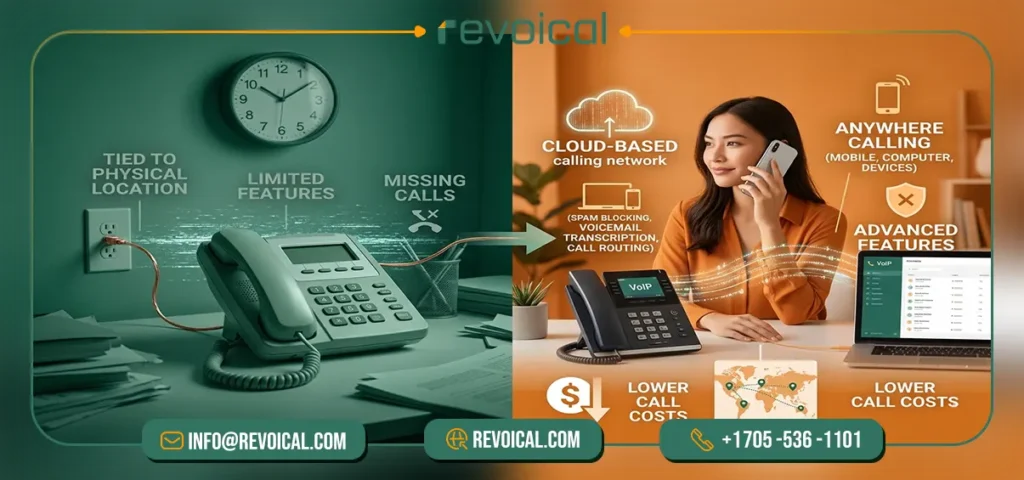
Many home users are moving from traditional landlines to home VoIP solutions because their communication needs have changed. A landline is usually tied to one physical location and offers limited features. A VoIP solution for home, on the other hand, uses the internet to make and receive calls, which gives households more flexibility in how they manage everyday communication.
Residential VoIP services are often presented as a more flexible alternative to landlines because they can support cloud-based calling, useful call features, and lower calling costs.
One of the main reasons is convenience. With VoIP for home users, the home phone number does not always need to stay connected to one phone on one desk. Depending on the service, calls can be answered through a mobile app, computer, VoIP phone, or another connected device. This is useful for families, remote workers, and people who want to receive home calls even when they are away from the house.
Another reason is access to features that traditional landlines usually do not provide by default. A modern residential VoIP service can include call forwarding, voicemail-to-email, voicemail transcription, caller ID, call blocking, and spam call filtering. These features help home users manage calls more easily instead of only answering or missing them. For example, VoIP services can support features such as voicemail transcription, call routing, and other tools that go beyond a standard landline.
Cost is also an important factor. Many users choose a VoIP solution for home because it can reduce the cost of local, long-distance, or international calls, especially when compared with older phone plans. For households that still want a familiar home phone experience but also need more control, mobility, and modern features, VoIP can be a practical replacement for a traditional landline.
Related Post: VoIP vs Landline vs Mobile
Key Features That Matter for Home Users
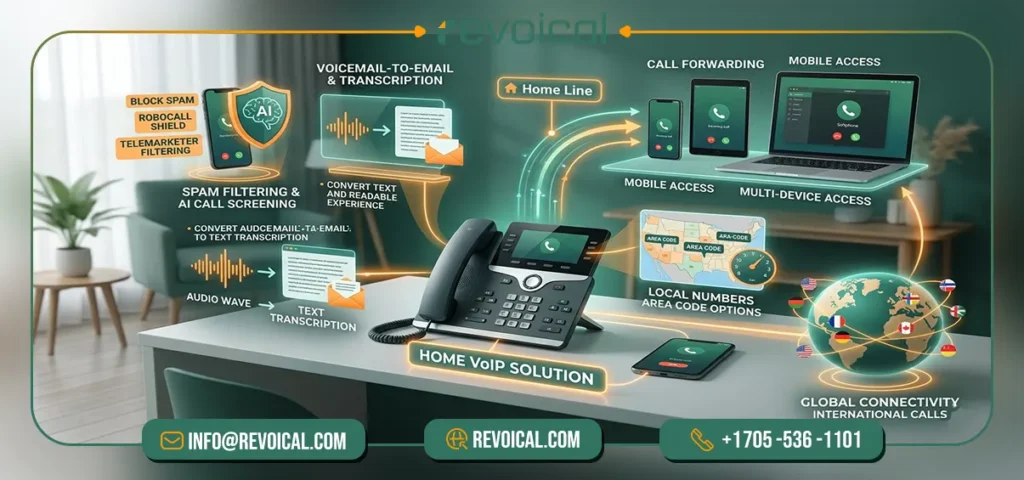
A good home VoIP solution should do more than simply replace a traditional landline. For home users, the most useful features are the ones that make daily communication easier, safer, and more flexible. Whether you want to reduce unwanted calls, keep your home number, receive calls while traveling, or manage voicemail more easily, the right VoIP solution for home can give you more control over how your phone service works.
| Feature | Why It Matters for Home Users |
|---|---|
| Spam Call Filtering and AI Call Screening | Unwanted calls, robocalls, and telemarketers are common problems for home users. AI call screening can help identify or filter suspicious calls before they interrupt your day. This makes the phone line more useful for real conversations, not just unwanted interruptions. Revoical also highlights AI call screening as one of its key features for protecting home users from spam and robocalls. |
| Voicemail-to-Email and Transcription | Instead of dialing into a voicemail box and listening to every message, voicemail transcription lets you read the message as text. This is useful when you are busy, outside the home, or unable to listen to audio. For many households, this makes voicemail faster and easier to manage. |
| Call Forwarding and Mobile Access | With VoIP for home users, your home phone number does not always need to stay tied to one device. Calls can be forwarded to a mobile phone, softphone, or another connected device. This is especially useful for people who travel, work from home, or want to answer home calls while away. |
| Local Numbers and Area Code Options | A residential VoIP service can allow users to choose or keep a local phone number. In some cases, users can select numbers from specific area codes, which is helpful for staying familiar and accessible to family, friends, or local contacts. |
| International Calling | For households with family or friends in other countries, VoIP can be a practical option for international calling. Since calls are handled over the internet, many VoIP solutions for home can offer more flexible calling options than older landline plans. |
| Multiple Device Access | A traditional landline usually works from one physical phone line. A home VoIP solution can work across different devices, such as a mobile app, computer, VoIP phone, or tablet. This gives home users more flexibility in how they answer and manage calls. |
These features are important because home communication is no longer limited to one phone in one room. Modern users may need their home number on a mobile device, want better control over spam calls, or prefer to read voicemail instead of listening to it.
A well-designed residential VoIP service brings these tools together in one phone solution, making it easier for households to stay connected at home, at work, or while traveling.
Read More: Revoical Hosted Pbx Featurs
Can You Keep Your Existing Home Phone Number?
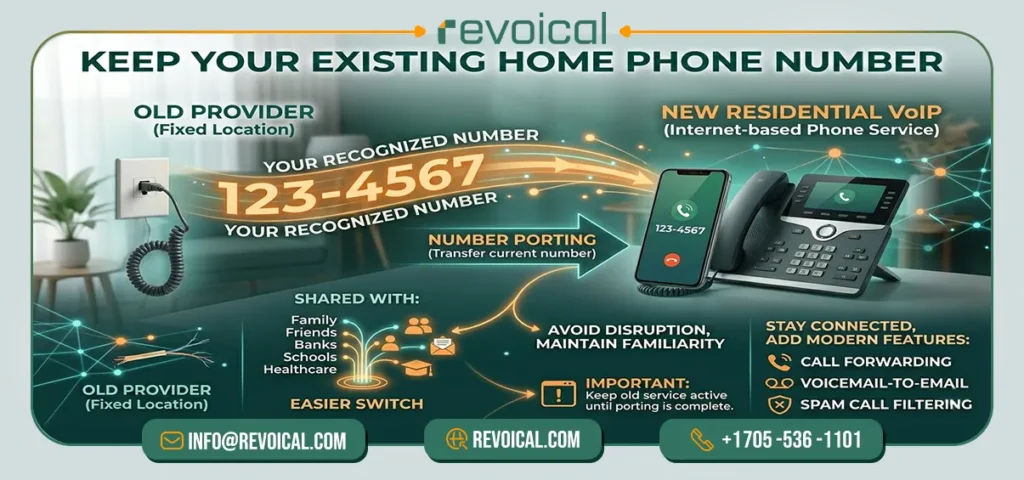
Yes, in many cases, home users can keep their existing home phone number when moving from a traditional landline to a home VoIP solution. This process is called number porting, and it allows you to transfer your current phone number from your old provider to a new residential VoIP service. For users who have shared the same number with family, friends, banks, schools, healthcare providers, or local services for years, this can make the switch to VoIP much easier.
Number porting is one of the most important features to check before choosing a VoIP solution for home. Instead of starting with a completely new number, you may be able to keep the number people already know and use it through your internet-based phone service. The FCC explains that users can generally keep their existing phone number when changing providers, as long as they remain in the same geographic area.
Before switching, it is important not to cancel your current phone service too early. In most cases, your existing number needs to stay active until the porting process is complete. You may also need to provide account details from your current provider, such as the account holder name, billing address, phone number, and sometimes a recent bill or authorization form. Some residential VoIP providers also mention that users should request number porting during the order or setup process, before disconnecting the old landline.
For many home users, keeping the same number is what makes VoIP for home users feel familiar rather than disruptive. You can modernize your phone service, add features like call forwarding, voicemail-to-email, and spam call filtering, while still keeping the home phone number your contacts already recognize.
See More: Advantages and Disadvantages of VoIP services
What Do You Need to Use VoIP at Home?
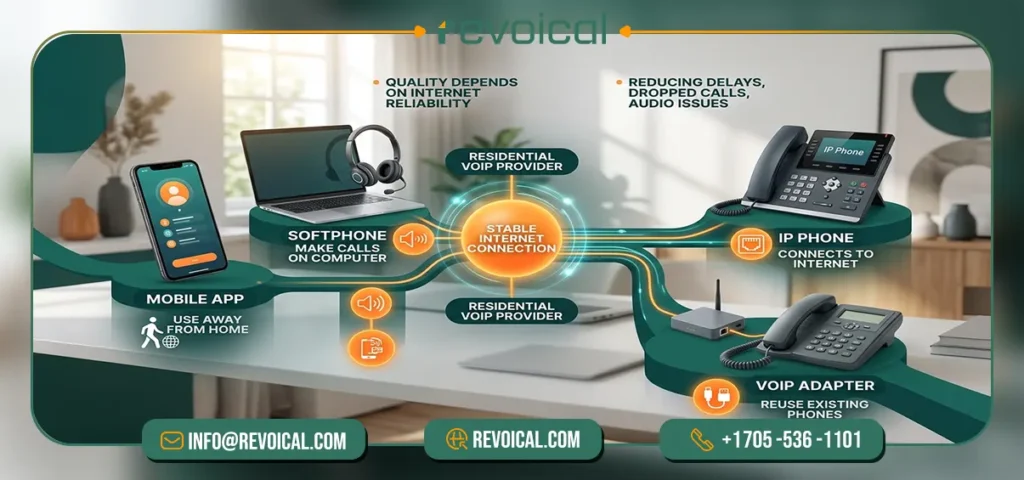
To use a home VoIP solution, you usually do not need complicated equipment. In most cases, the main requirement is a stable internet connection and a residential VoIP service provider. After that, the setup depends on how you prefer to make and receive calls.
Home users can usually choose from a few simple options:
- Mobile app
You can answer calls from your home phone number on a smartphone, which is useful when you are away from home.
- Softphone
A softphone is an app on a computer or laptop that lets you make and receive VoIP calls with a headset or microphone.
See More: Softphone Featurs of Hosted Pbx
- IP phone
An IP phone looks like a regular desk phone but connects to the internet instead of a traditional phone jack.
- VoIP adapter
A VoIP adapter can connect some existing home phones to the internet, so users may not need to replace all their devices.
For most VoIP solutions for home, call quality depends more on a reliable internet connection than on expensive hardware. A stable router, good Wi-Fi coverage, or a wired connection can help reduce delays, dropped calls, or audio issues. Home VoIP can work through a desk phone, smartphone app, or adapter connected to a router, depending on the provider and setup.
What Happens During Internet or Power Outages?
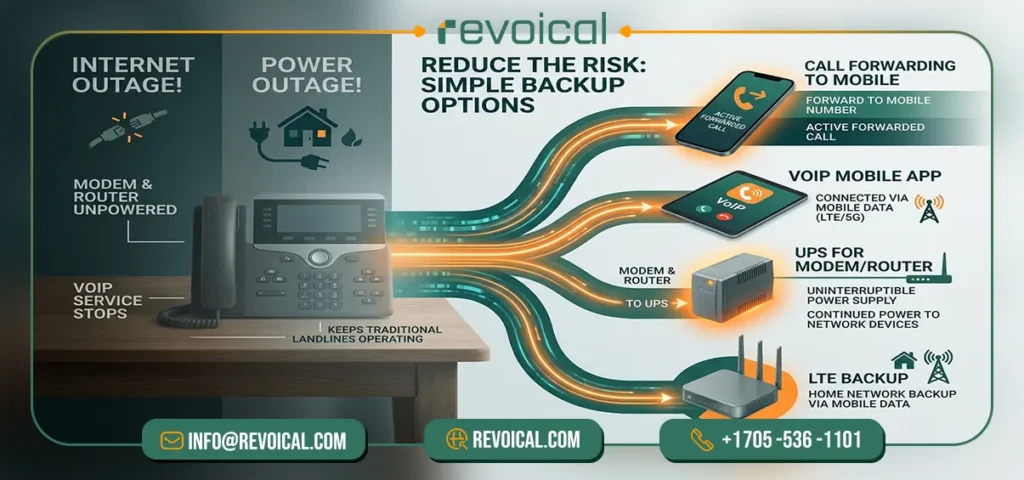
A home VoIP solution depends on both internet access and power, so if your home internet goes down or your modem and router lose power, the service may stop working until the connection is restored. This is one key difference between VoIP for home users and some traditional landline services.
The FCC also notes that broadband-based phone service may not work during an electric outage without a battery or another backup power source.
The good news is that this risk can usually be reduced with a few simple backup options. Home users can set up call forwarding to a mobile number, use a VoIP mobile app when mobile data is available, keep the modem and router connected to a UPS, or use an LTE backup connection for the home network.
For most households, the goal is not to make the setup complicated, but to make sure their VoIP solution for home has a clear fallback plan for important calls.
Is Home VoIP Right for You?
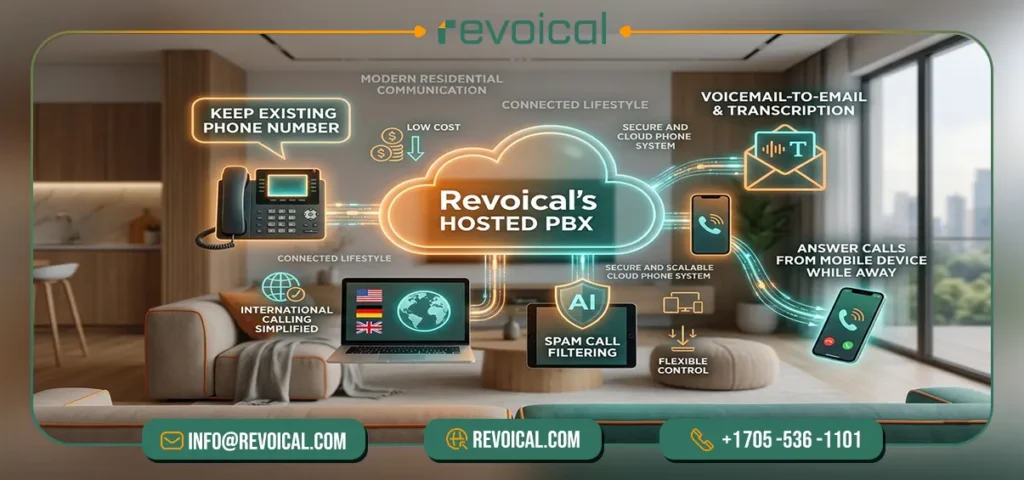
A home VoIP solution is a good choice if you want to keep the familiar experience of a home phone while gaining more flexibility than a traditional landline can offer. It is especially useful for home users who want to keep their existing phone number, reduce calling costs, manage unwanted calls, receive voicemail by email, or answer calls from a mobile device while away from home. For households with family or friends in other countries, VoIP for home users can also make international calling easier to manage.
Home VoIP may also be a practical option if you want your phone service to fit a more connected lifestyle. Instead of being tied to one phone line in one location, a VoIP solution for home can work with cloud-based features such as call forwarding, voicemail transcription, spam call filtering, and multiple device access. This makes it useful for families, remote workers, frequent travelers, and anyone who wants more control over everyday communication.
For users who want a modern and flexible phone setup, Revoical provides a cloud-based Hosted PBX and VoIP platform designed to support smarter communication without relying on complex on-premise hardware. Revoical’s home user solution includes features such as AI call screening, local and international number options, voicemail transcription, and access from different devices, making it a practical fit for modern residential communication. Its Hosted PBX platform is also built as a secure and scalable cloud phone system with VoIP features, SIP trunking, messaging, and number porting support.
FAQ
Yes, VoIP is a good option for home users who want a flexible alternative to a traditional landline with features like call forwarding, voicemail-to-email, and spam call filtering.
In many cases, yes. With number porting, you can transfer your existing home phone number to a residential VoIP service, as long as the number is eligible and still active during the transfer.
Home VoIP depends on internet and power, so it may stop working during an outage. You can reduce this risk with call forwarding, a UPS for your router, a mobile app, or LTE backup.
Some VoIP services support emergency calling, but users should confirm how 911 or emergency location works with their provider, because VoIP may depend on registered address and internet access.
Yes, a home VoIP solution can be useful for international calling because it uses internet-based calling and can often provide more flexible options than a traditional landline.
No comment